Teach Complex Topics Visually
Create interactive visual boards to help students understand relationships between concepts. Teachers control the experience, students explore and learn.
VISUALIZE. CONNECT. UNDERSTAND.
👆 Try it! Drag cards, connect ideas, add notes — hover a card and use expand to read it in the preview
FEATURES
Built for the classroom
Everything teachers need to create engaging visual learning experiences, with controls to guide student exploration.
Teacher Dashboard
Create and manage boards for your classes. Organize by subject, class, or topic.
Easy Sharing
Share boards via link or QR code. Students can view without creating an account.
Real-time Collaboration
Students work together in real-time when teachers enable collaboration mode.
AI-Powered Creation
Generate cards, connections, and content with AI to quickly build learning materials. In private beta.
Bonus file storage
Pro and Premium include extra upload space at checkout during the beta period, then yearly loyalty top-ups on top of your plan quota.
Complete Control for Teachers
A powerful toolbar gives you everything you need to create and manage your visual boards.
Select
Select and move cards
HOW IT WORKS
Simple for teachers
Four steps to create an engaging visual learning experience for your students.
Create Your Board
Build a visual map of your topic. Add cards for each concept and connect them to show relationships.
Configure Permissions
Choose what students can do: view only, add notes, create connections, or full collaboration.
Create Group Shares
Create different shares for different student groups. Each group gets its own link with customized settings.
Share with Students
Share the appropriate link with each group. Students explore the board with the permissions you set.
FOR TEACHERS
You control the experience
Every board has its own permission settings. Enable or disable features based on your learning objectives. Start restrictive and open up as students progress.
Climate Change Board
Shared with 28 students
All card elements visible
Images, videos, decks, and titles shown
Students can create cards
Cards enabled
Connections enabled
Preset styles available
Change permissions anytime from the board settings
Choose Your Teaching Mode
Flexible modes to match your teaching style and learning objectives.
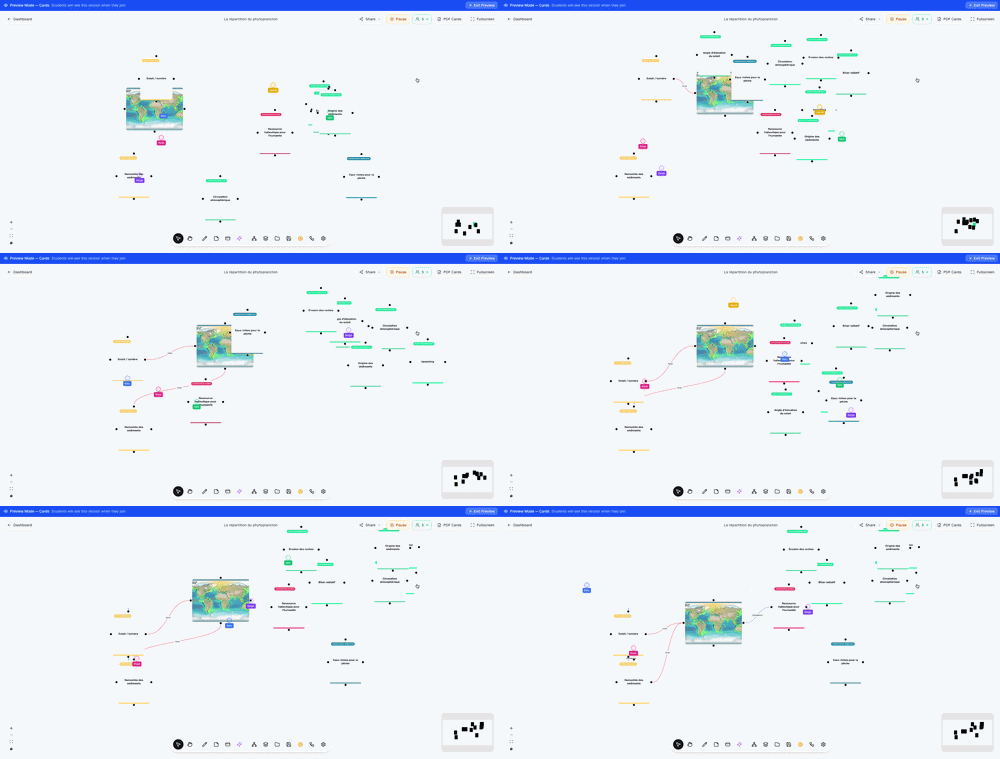
Collaboration Mode
Students work together in real-time, building on each other's ideas. Perfect for group projects and collaborative learning.
- Real-time cursors and updates
- Students can add cards and connections
- Individual names or group participation
- Teacher maintains oversight and control
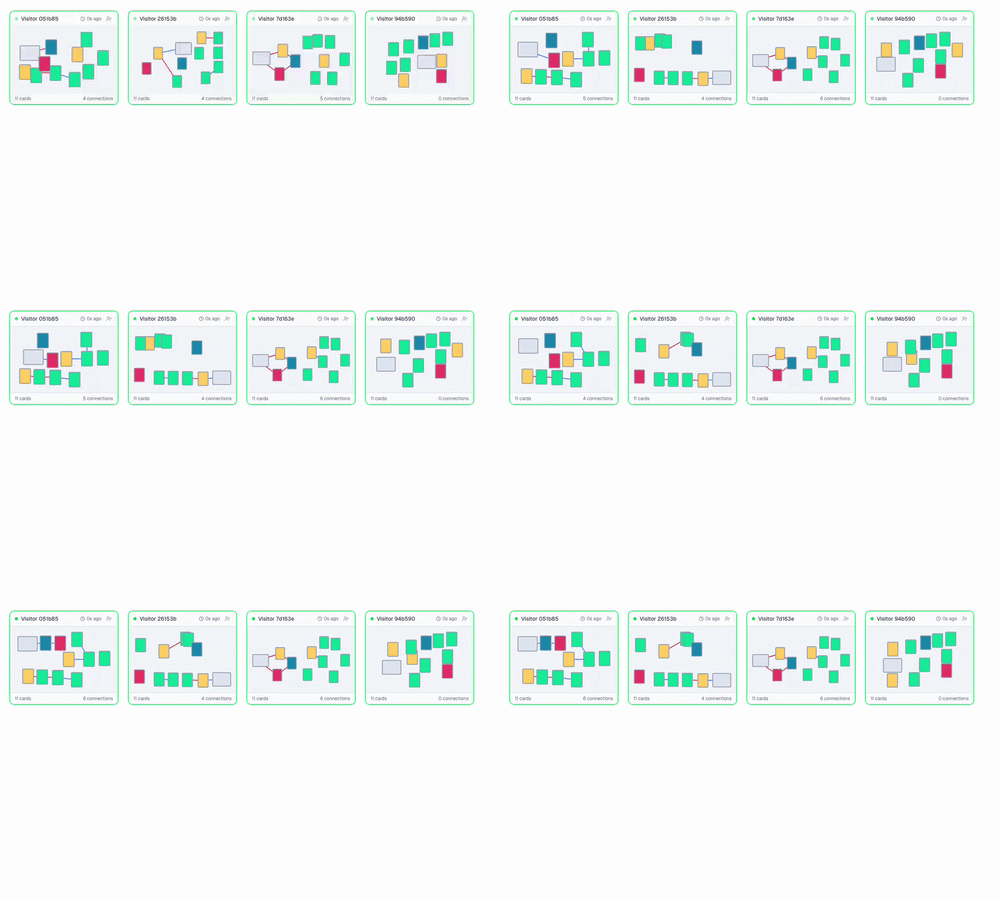
Session Mode
Each student or group works on their own copy of the board while you monitor progress in real-time. Perfect for individual practice and assessment.
- Students get individual board copies
- Teacher monitors all progress on dashboard
- Independent work without interference
- Ideal for assessments and practice
FAQ
Frequently asked questions
Everything you need to know about Fresque.
Fresque is a visual learning platform designed for teachers and students. It helps explain complex topics through interactive visual boards where concepts are connected to show relationships.
Ready to transform your teaching?
Help your students understand complex topics through visual learning. Create your first board in minutes.